One-time purchase

Small business bookkeeping without the subscription

Import your bank's CSV, categorize a year in an afternoon, and hand your accountant a clean P&L. Real double-entry books on your own machine, for $197 once.

No credit card for the trial · 30-day money-back guarantee · Mac, Windows & Linux
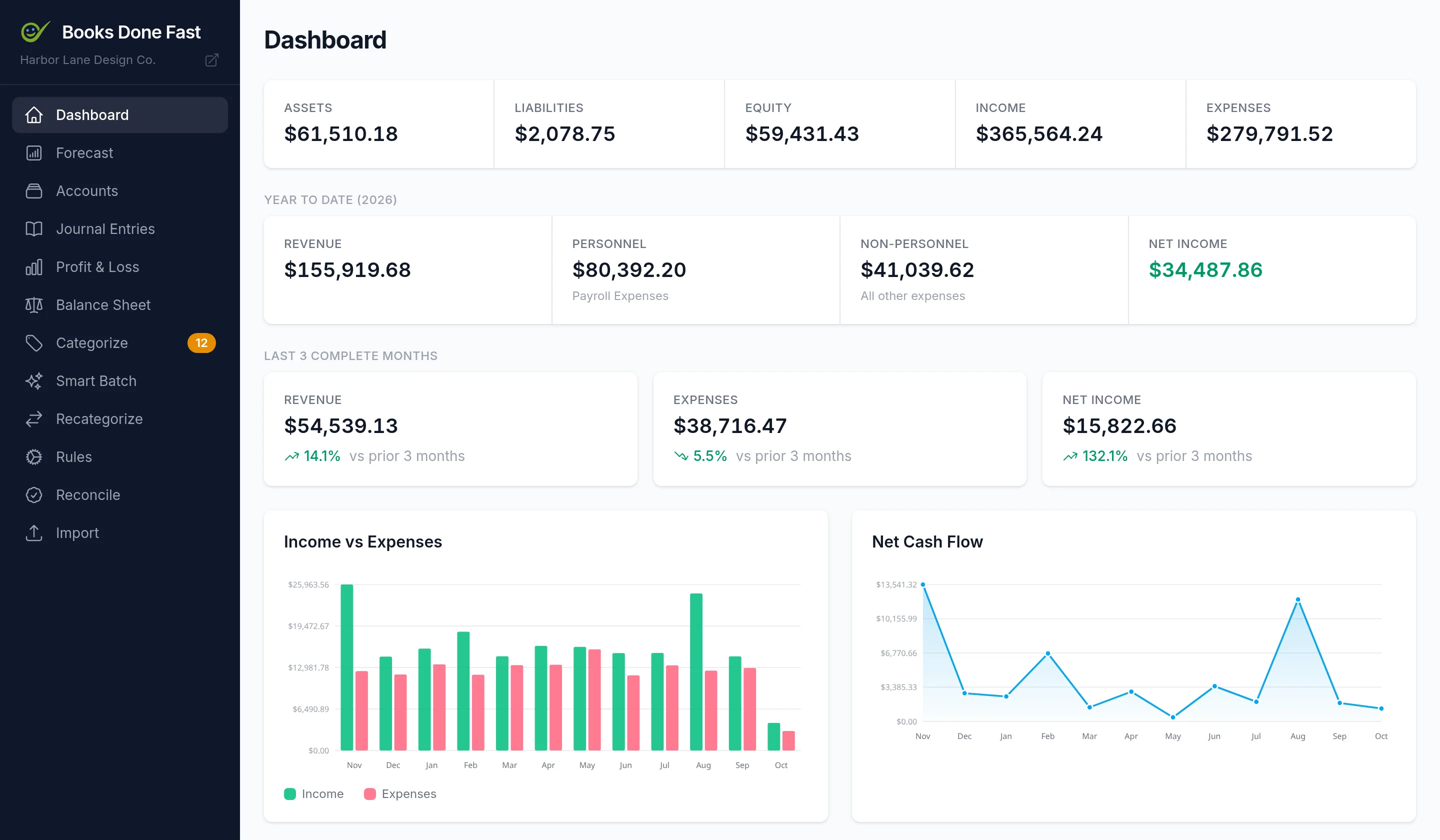
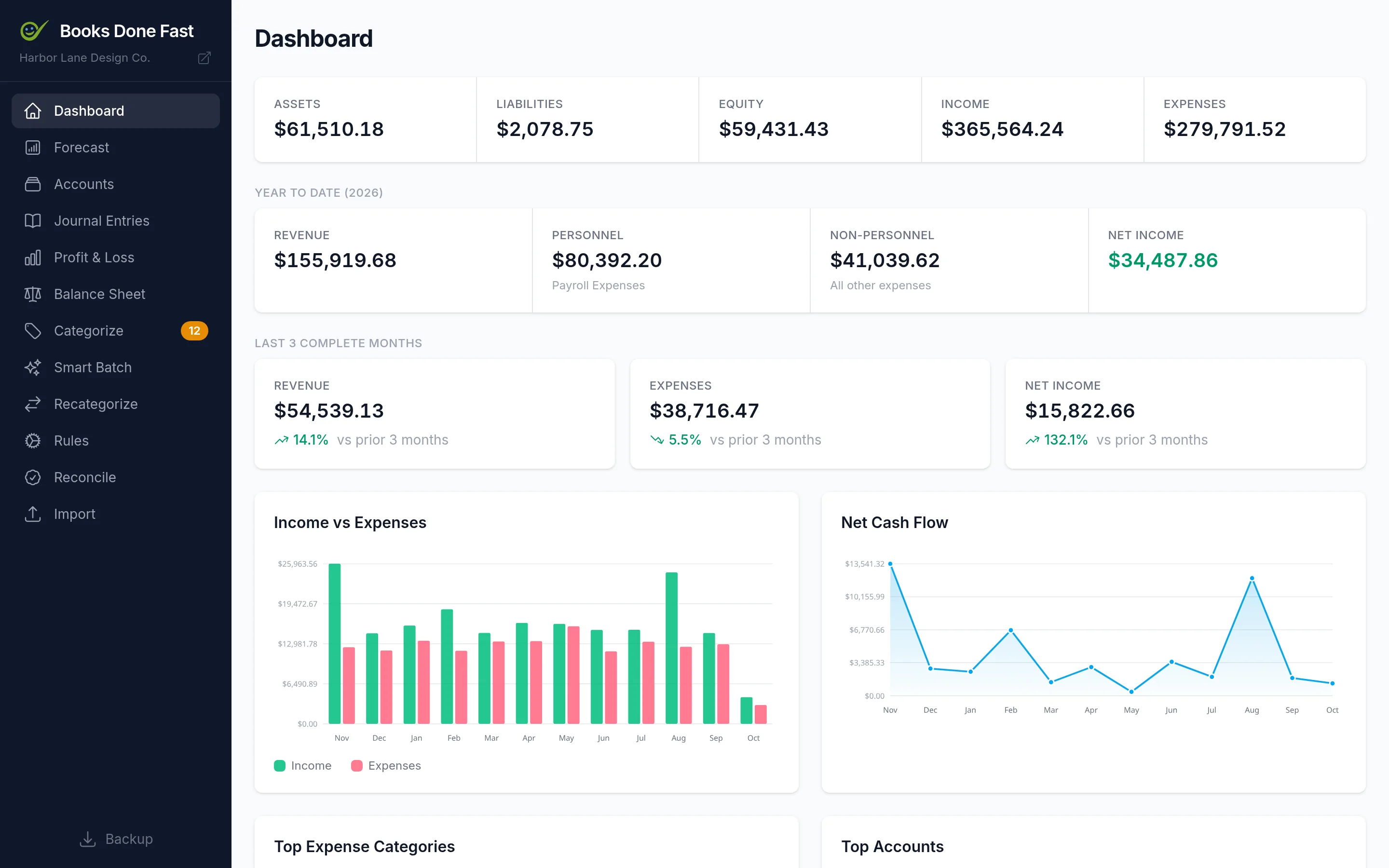
Books Done Fast dashboard showing income, expenses, cash position, and uncategorized transactions for a small business

Stop renting your accounting software

Cloud bookkeeping tools charge $20 to $80 a month, raise the price most years, and keep your records on their servers. Over three years that's a lot of money to look at your own numbers. Books Done Fast is a one-time purchase: pay once, keep it, and keep your data.

QuickBooks, Xero & co. Books Done Fast
Price $20–$80 / month $197 once
Cost over 3 years $720–$2,880 $197
Where your data lives Their servers Your computer
Works offline No Yes
Future price changes Most years None
Keeps working if the vendor disappears No Yes

See it in action

From a bank export to a finished P&L. Every screen, no mockups.

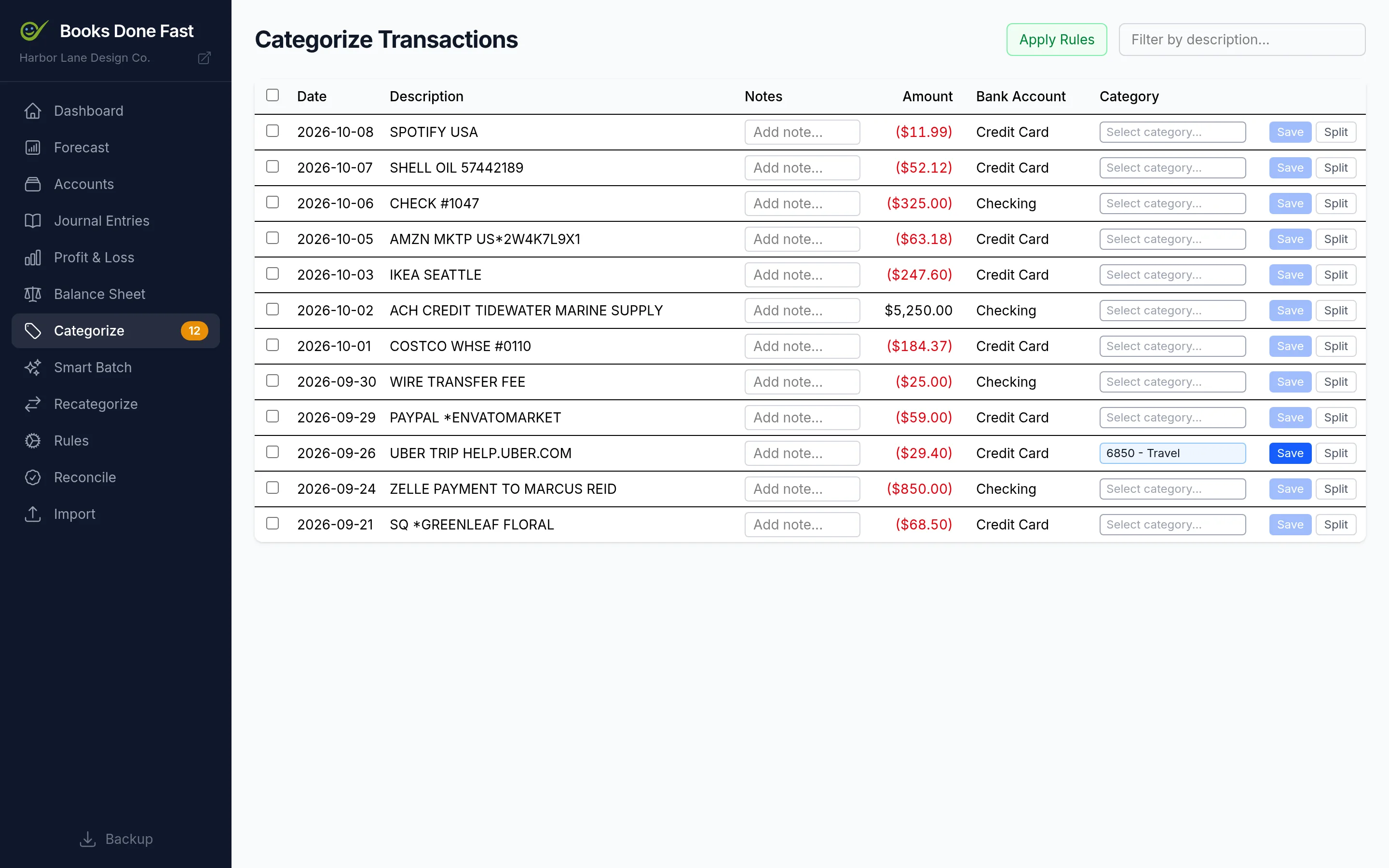
Categorize page listing imported transactions with suggested categories

Everything you need to keep the books

The core of bookkeeping done properly, and nothing you'll never use.

Bank CSV import

Import the CSV any bank will give you. Chase exports are recognized automatically; for other banks, map the columns once. Duplicates are caught so re-importing is safe.

Categorize a backlog in minutes

Smart Batch groups uncategorized transactions by vendor, proposes a category for each group with a confidence score, and lets you approve a hundred at once.

Rules that write themselves

Every time you categorize something, the app saves a rule. Next month's import lands already categorized. Review or edit the rules whenever you like.

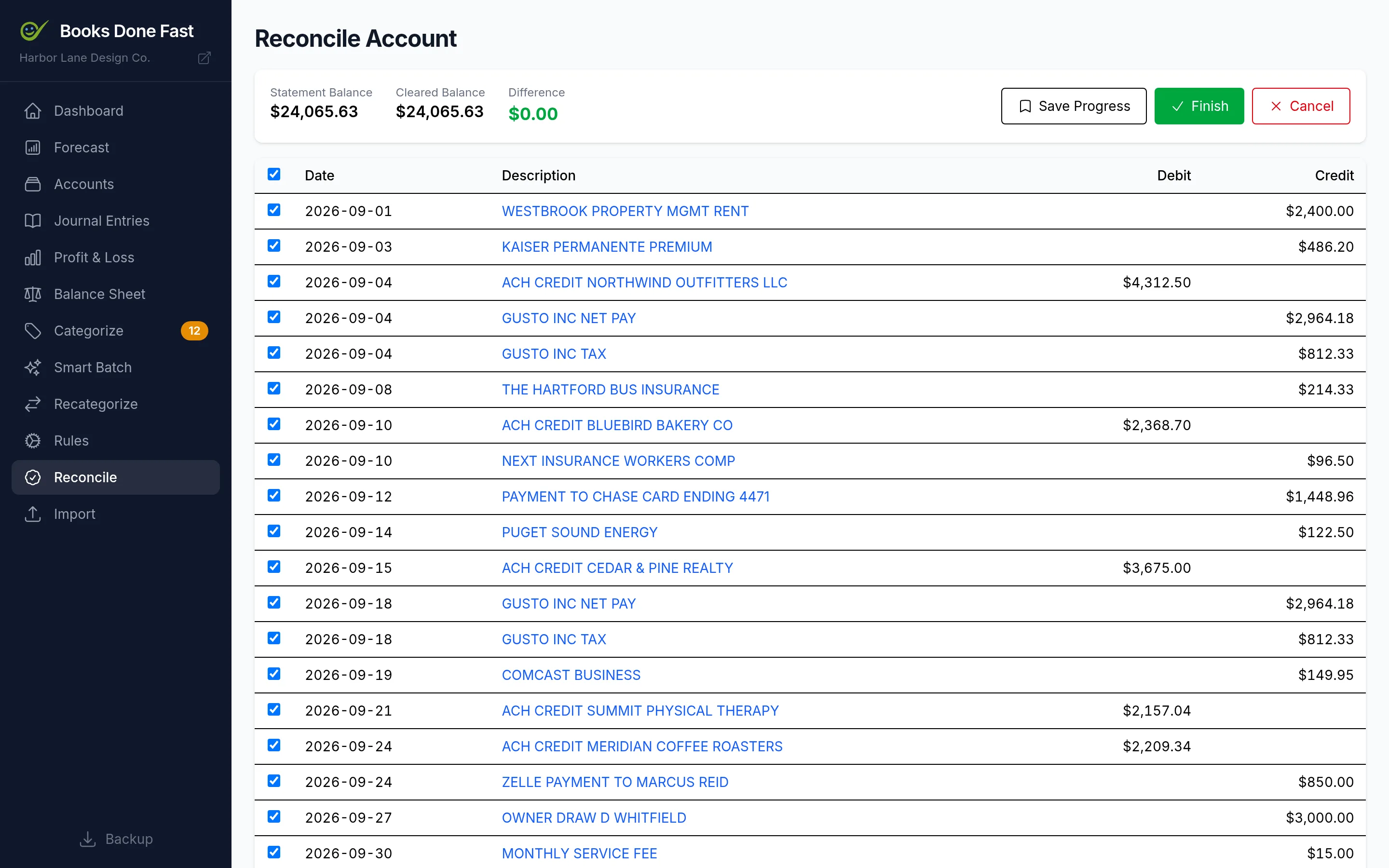
Reconciliation

Enter the statement balance, tick off cleared transactions, and watch the difference go to zero. Reconciled entries are locked in so the numbers stay trustworthy.

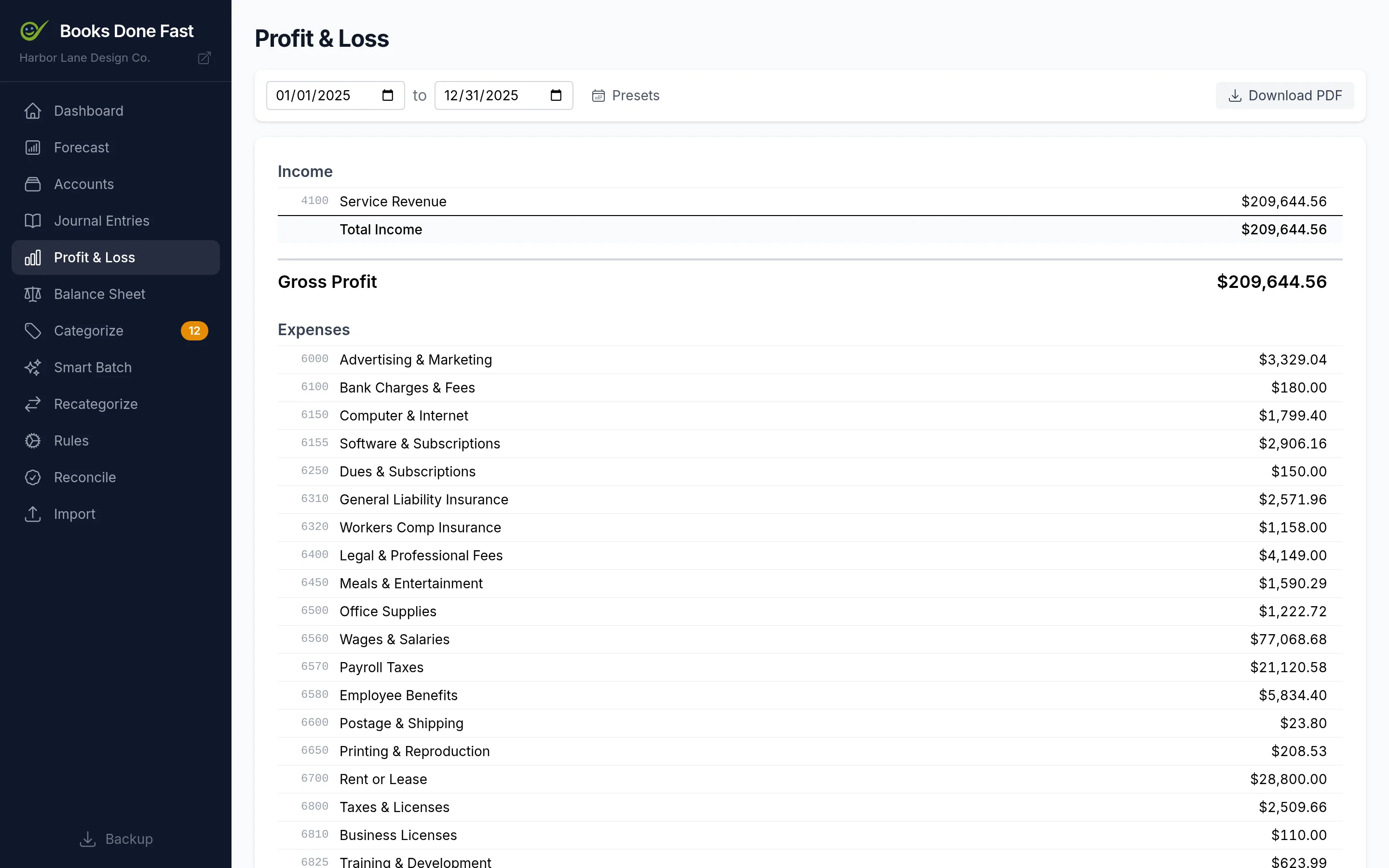
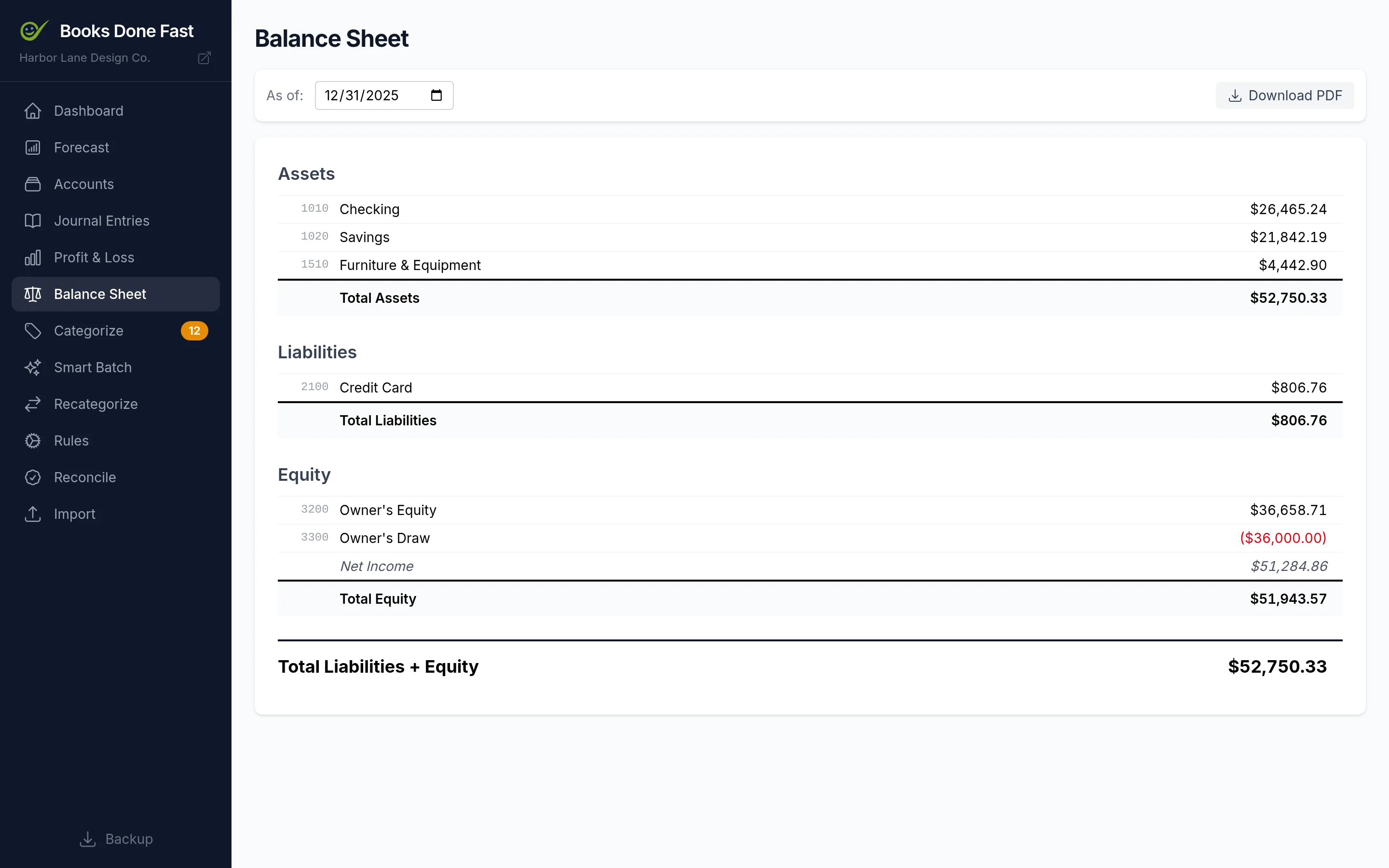
Reports your accountant wants

Profit & Loss and Balance Sheet for any date range, with presets for this month, last quarter, or last year. Export to PDF for tax time.

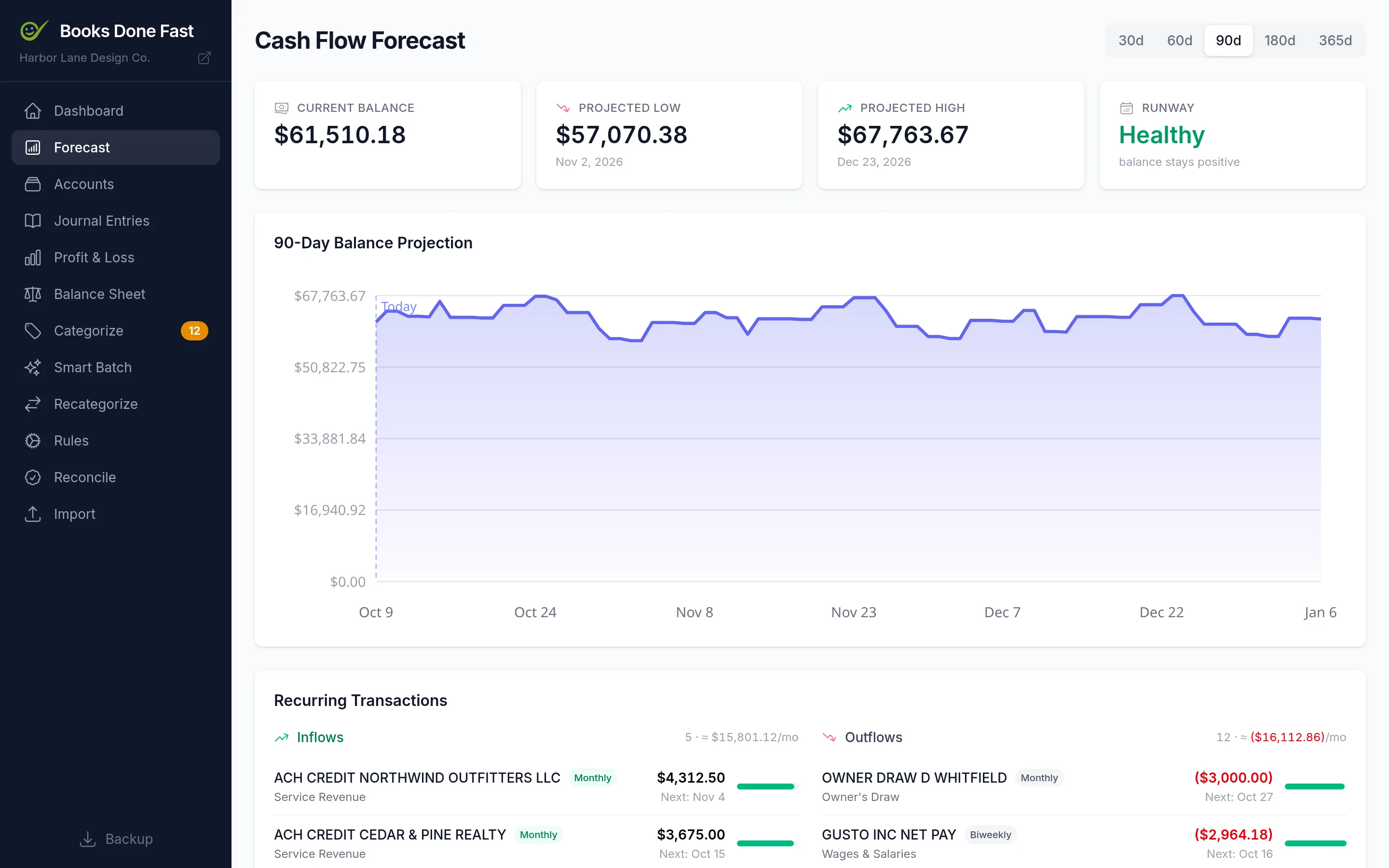
Cash-flow forecast

The app finds your recurring rent, payroll, subscriptions, and revenue, then projects your cash balance up to a year ahead so you see the dip before it happens.

Real double-entry books

A proper chart of accounts, journal entries, and account ledgers underneath. Splits, transfers, and manual entries all balance, the way an accountant expects.

Unlimited businesses

Each business is its own file. Switch between them from the sidebar, back up with one click, and keep as many as you like under a single license.

Private by design

No account to create, no cloud, no telemetry. The app never makes a network request. Your books are one SQLite file on your disk that you can copy, move, or open in any SQLite tool.

Up and running in an afternoon

Three steps from download to your first report.

1

Download and run

Unzip, double-click, and the app opens in your browser. No account to create and nothing to configure.

2

Import your bank CSV

Export transactions from your bank's website and drop the file in. Pick the columns once; the app remembers them next time.

3

Categorize and report

Approve the suggested categories, reconcile against your statement, and export a P&L your accountant can use as-is.

Download the free trial

The full app, with a reminder banner until you enter a license key. Nothing to reinstall when you buy.

Apple Silicon means M1 or later. Need an Intel Mac build? Email us. Setup help is in the Getting Started guide.

One price. Everything included.

No tiers, no per-user fees, no renewal.

$197 one-time

One license per person. Unlimited computers, unlimited businesses.

About what three months of QuickBooks costs.

  • Bank CSV import for any bank
  • Smart Batch categorization
  • Auto-learned categorization rules
  • Account reconciliation
  • Profit & Loss and Balance Sheet
  • PDF export for your accountant
  • Cash-flow forecast
  • Unlimited businesses
  • One-click backups
  • Mac, Windows & Linux
  • All future updates
  • Email support from the developer
Buy now — $197

or download the free trial first

Secure checkout by Stripe. Your license key appears on screen and in your inbox right after payment.

Not for you if you need invoicing, payroll, inventory, or live bank feeds.

30-day money-back guarantee

Try it with your real books. If it isn't right for you, email support within 30 days and you'll get a full refund. No forms, no questions.

Trial to paid in one paste

The trial and the paid app are the same download. Paste your key into the banner and keep working. Everything you entered during the trial stays.

A note from the maker

I'm Mark, and I built Books Done Fast to keep the books for my own businesses. I wanted software that did the core job properly, stayed out of my way, kept my financial records on my own machine, and didn't bill me every month for the privilege.

That's what this is. It's deliberately small. It won't send invoices or run payroll, but it will get a year of transactions categorized, reconciled, and into a report your accountant can use, and it will keep doing that for as long as you want it to.

If something doesn't work the way you expect, email me. The reply comes from the person who wrote the code.

Mark Sanborn · support@eligian.com

Frequently asked questions

How does the free trial work?
The trial is the full application with a reminder banner at the top. When you buy, you get a license key. Paste it into that banner and it disappears. Nothing to reinstall, and all the work you did during the trial stays.
What if it doesn't work out for me?
Email support@eligian.com within 30 days of purchase and you get a full refund. No forms, no questions. See the refund policy.
What platforms does it run on?
Windows, macOS on Apple Silicon (M1 and later), and Linux. It's a small desktop program that opens in your browser. An Intel Mac build is not available yet; email support if you need one.
Do I need an internet connection?
No. Everything runs on your computer and the app never sends your data anywhere. You only need internet to download it.
Which banks can I import from?
Any bank that lets you export a CSV, which is nearly all of them. Chase checking and credit card exports are recognized automatically; for other banks you map the date, description, and amount columns once and the app remembers the mapping.
Are updates included?
Yes. Your license key works with every future version. Download the new build, run it, and your books open as before.
Can I manage multiple businesses?
Yes. Each business is its own file. Switch between them from the sidebar, and keep as many as you like under one license.
Is my data backed up?
A one-click backup in the app saves a snapshot of your books. Your books are also just a single file, so you can copy it to a drive or cloud folder of your choosing at any time.
Is this a replacement for QuickBooks?
For core bookkeeping, yes: importing transactions, categorizing, reconciling, and producing the P&L and balance sheet your accountant asks for. It does not do invoicing, payroll, inventory, or live bank feeds. If you need those, keep your other tools for them.

Get your books done

Download the trial, import last month's statement, and see your numbers before you spend a dollar.

No credit card for the trial · 30-day money-back guarantee